
Git: Oops I forgot to add this thingy
• 339 words • 2 min • updated
Here’s a situation that happens often during development:
Suppose you committed something to git. A few commits later, you realized you
forgot to add something to that commit, or possibly missed a link, or even
spotted a typo. How do you go about fixing it?
Team #
If you’re working on a repository with a team, you should just git commit and git push. Write an eloquent commit message to refer to the previous commit in which you forgot to include your changes.
Self #
Now, if you’re working on a standalone repository, just for yourself1, this creates an opportunity to rewrite your history in a cleaner way. The workflow is as follows:
- Make the changes or fixes you had originally forgot to.
git addthem.- Identify the commit id in which you originally wanted to make those changes.
git logortigare simple CLI-oriented ways to do so. Hereafter assume this id isabcdef. - Commit your changes while referencing the original commit and then rewrite history:
$ git commit --fixup=abcdef

# Then pick one of:
$ git rebase -i --root
$ git rebase -i abcdef~1

# And then save the file as is.- Double-check everything went as expected with
git logand/orgit showand/ortig. - If you’re happy with the current state of your repository, commit the sin:
git push --force.
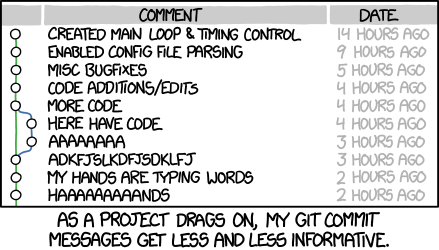
XKCD Courtesy of Randall Munroe
References #
tig, in case you don’t know:
tigis an ncurses-based text-mode interface for git. It functions mainly as a Git repository browser, but can also assist in staging changes for commit at chunk level and act as a pager for output from various Git commands.
git rebase --root: c.f. Stack Overflow. This is just a lazy way to make the rebase includeabcdef. You could do something likegit rebase -i HEAD~10where 10 is an arbitrary guess, but this will only work ifabcdefis within the most 10 recent commits. Alternativelygit rebase -i abcdef~1also works.
∎
Connections
Shared tags