
★ Keychron K2: Review
• 1204 words • 6 min • updated
This is a follow-up post of Keychron K2: Linux Setup. The previous post focused on the configuration of the keyboard, this one focuses on its user experience from the point of view of a Software Engineer.
Previously #
My first (and previous) mechanical keyboard was a Logitech G610 Orion Red1. It’s a full wired keyboard with Cherry MX Red switches (linear) and dedicated multimedia keys. In my opinion it is a solid choice for beginners because its interface is quite familiar thanks to the wide range of available keys. It is branded as a gaming keyboard but frankly it was a fine office keyboard as well. However after using it for a while I wanted to upgrade.
The natural upgrade path would contain one or more of the following features, in order of importance:
- good support for both Linux and macOS, especially Linux
- compact: tenkeyless a.k.a. 80%, or 75%2
- portable: wireless, either with a dongle or with bluetooth or both
- with decent battery life: should outlast at least a week of office work
- not overpriced: ~$200 CAD budget
- playful: with RGB backlight (instead of white LED)
Given those, a natural upgrade path would have been the Logitech G915 TKL. Its main caveat is that it is relatively overpriced, ~$300 CAD. Above that $300 CAD point one should arguably be looking for ergonomic and/or fully programmable (QMK firmware) keyboards, like the Kinesis Advantage and/or the Ergodox EZ3. Even though the G915 TKL is rock solid, it didn’t have any fancy features to justify that investment.
The quest for the perfect keyboard #
I then proceeded to outsource my luck to the wisdom of the crowds, by asking for recommendations in a mailing list at $DAYJOB, giving them a subset of the requirements above.
The choice was then obvious: I’d get a Keychron. It fit all of my requirements perfectly. The issue was that Keychron had so many choices to pick from.
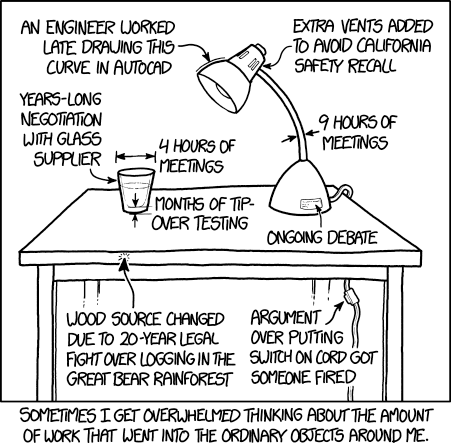
XKCD Courtesy of Randall Munroe
After some deliberation I had two options in mind: Keychron K2 and Keychron K1 TKL. The main difference between them is that the K1 is a low-profile keyboard. I didn’t know what low-profile meant at the time and had to do some research to figure it out4.
In the end I opted for the Keychron K2, red switches (linear), with RGB backlight.
The keyboard #
The keyboard met all my expectations, even surpassing them, I am quite satisfied overall:
- Linux support
- Great out-of-the-box support, it just works. Even though I tweaked a few configs, it wasn’t strictly necessary. In particular, there’s a physical toggle where you can choose between macOS (=Linux) or Windows mode. Furthermore they provide both macOS-style (command, option, etc) and Windows-style keycaps (super, alt, etc). For Linux I tend to stick with the Windows ones.
- Compact
- A 75% keyboard is compact by definition, what else could I add?
I wouldn’t go lower than that though, in my opinion removing the function keys
goes too far and makes the keyboard harder to use. A Tenkeyless / 80% option
would also be compact enough while maybe increasing comfort a little bit, but
I managed to adapt quickly to the 75% layout. Multimedia and OS keys are easily
available by the means of
Fn + F1, etc. - Portable
- It has bluetooth, but can also be used while plugged in. There’s a toggle that
controls which mode (wireless or wired) to use. The bluetooth has 3 channels and
it’s very easy to switch between them:
Fn + 1,Fn + 2,Fn + 3. This makes it easy to switch between laptops and/or workstation, work and/or personal. The cable connector is USB-C which in my opinion is a must these days (2020s). - Battery life
- Battery lasts more than enough, to the point that I don’t even need to care about it.
I tend to recharge it every 2 weeks or so.
Fn + bwill let me have a visual indication of how much juice is still left. The keyboard automatically sleeps after 10 minutes of inactivity in order to save battery, which I think is a nice bonus, I don’t need to worry about turning it off. This can be disabled if it ends up being annoying, though. - Great value for money
- $90 USD at the time of this writing. Because I didn’t want to deal with international shipping, I ended up simply buying it from one of their official local retailers in Canada, OneOfZero. This slightly increased what I paid for it (~$150 CAD with taxes), on the other hand the shipping was really fast. Just beware, this particular retailer does not have a friendly return policy, if I recall correctly they charge a 25% fee and end up throwing the keyboard away (landfill), which is very depressing.
- Playful
- The RGB lighting is fluff and completely irrelevant in terms of productivity, however it adds a playful touch to the keyboard.
I would say that white lighting is enough, but sometimes it’s just cool to change to different color(s).
What can I say, we humans are visual creatures. You can easily adjust the light brightness and toggle it on/off (
Fn + light), plus there are several patterns to choose from. I tend to use a still pattern because it isn’t distracting for programming or other type of work that requires focus.
Finally: The keyboard keycaps are quite sturdy and stick well in place. I had some issues with my previous keyboard where some of its keycaps would easily fall off it when moving it within my backpack. I do not have this issue with the Keychron.
Future #
Mechanical keyboards are meant to last. I do not intend to upgrade it any time soon. However, if/when I ever do it, I will be looking for the following features:
- QMK firmware / programmable: would unlock more workflow possibilities. The Keychron Q1 would be a good candidate for this.
- With a dongle, in addition to bluetooth. Because sometimes bluetooth is just annoying and/or unreliable. The Logitech G915 TKL has a dongle.
- Other switches? So far I’ve only used red ones (linear). More silent switches could be useful.
- Ergonomic: Whether it’s a split, an ortholinear or just a curved keyboard, I figure that at some point it will be a good investment for my wrists. Adaptation is difficult but it may be necessary one day.
I am not particularly attracted to custom keycaps, they are cute but not my cup of tea. And I also do not see the appeal of hot swappable keycaps. I can understand why some folks appreciate those features, customizability is powerful, but for me it’s less stressful to keep things simple. ∎
-
Linked to the
.pdfbecause apparently the SKU isn’t listed in the Logitech product website anymore. At the time, it cost ~$120 CAD. ↩︎ -
This requirement indirectly excluded all those gaming keyboards with dedicated macro and/or multimedia keys, if they ended up increasing the overall keyboard surface area. ↩︎
-
In the past, I had the opportunity to borrow these from coworkers for a week but couldn’t quite adapt to them, their learning curve is quite steep. Maybe I’ll try that again in the future. ↩︎
-
It basically means the keys are thinner than usual, comparable to laptop keyboard keys. ↩︎
Backlinks
- midnight commander: Fn keys (Aug 28, 2025)
- Keychron K2 on macOS: fix Home and End keys (Apr 22, 2022)
Connections
Linked from
Links to
Shared tags