
Ghostty
• 396 words • 2 min • updated
From the series: yet another terminal emulator in Rust Zig™:
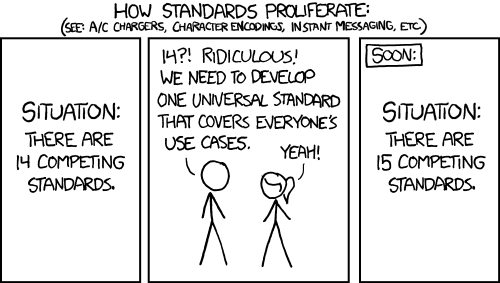
XKCD Courtesy of Randall Munroe
Ghostty is a fast, feature-rich, and cross-platform terminal emulator that uses platform-native UI and GPU acceleration.
So you just recreated Alacritty / Kitty?
Popularity on Hacker News exploded, with over 2k stars.
For some reason, anything written in Rust Zig automatically becomes popular.
Snark aside, I tested it yesterday on macOS and it turns out it’s quite amazing.
In particular, I like:
- it’s fast
- it’s minimalist, and yet it’s feature-rich in an unobtrusive way
- it’s native (no Electron and friends, amen)
- it has sensible configuration defaults
It resembles my experience of using Alacritty on Linux1.
I just have three gripes2 with it until I am able to fully adopt it:
1. ssh does not work out-of-the-box due to xterm shenanigans
#
https://github.com/ghostty-org/ghostty/discussions/3161:
Error opening terminal: xterm-ghostty.
They do provide a workaround,
by the means of making a change to ~/.ssh/config:
# .ssh/config
Host *
  SetEnv TERM=xterm-256color
The workaround suffices.
2. Blinking cursor #
When using zsh, it’s impossible to make the cursor stop blinking.
There’s an issue about it:
Setting
cursor-style-blinktofalsehas virtually no effect because shell integration will automatically turn on blinking.
I also jumped on the bandwagon with a comment there:
I use grml-zsh-config. When opening Ghostty, it starts with a bar+blinking cursor(1).
When spawning a new
zshshell withinzsh, it changes to a block+non-blocking cursor(2).(2) is the desired behavior – iTerm2 and Terminal.app both do it out-of-the-box. I am not sure why Ghostty sets a bar+blinking cursor, whilst the other terminal emulators do not.
This discussion / issue seems to track down the root cause. I would suggest converting it back to an Issue. Happy to provide logs and/or more info if it helps!
There’s no elegant workaround for 2). Should they ever fix that issue, I am ready to switch from iTerm2.
Edit(2024-12-29): The following config works to achieve (2):
cursor-style-blink = false
shell-integration-features = no-cursor
3. No scrollback search #
Edit(2024-12-29): This section was added afterwards. The initial post only had two gripes.
There is no Cmd + f to
search. This is a big deal.
It’s just a matter of time: the FR has lots of upvotes.
iTerm2 is great, but it has way too many features, and I barely use any. ∎
-
On macOS, Alacritty isn’t really great. ↩︎
Backlinks
- Ghostty: migrating config to dotfiles (Jul 21, 2025)
- ghostty: find popular themes (Jan 09, 2025)
Connections
Linked from
Links to
Shared tags