
Tailscale: automatic connection in the office
• 63 words • 1 min
TIL: Tailscale (a zero-trust VPN) supports automatically connecting to it on select Wi-Fi networks.
Use case: whenever you go to your work office, automatically turn the VPN on.
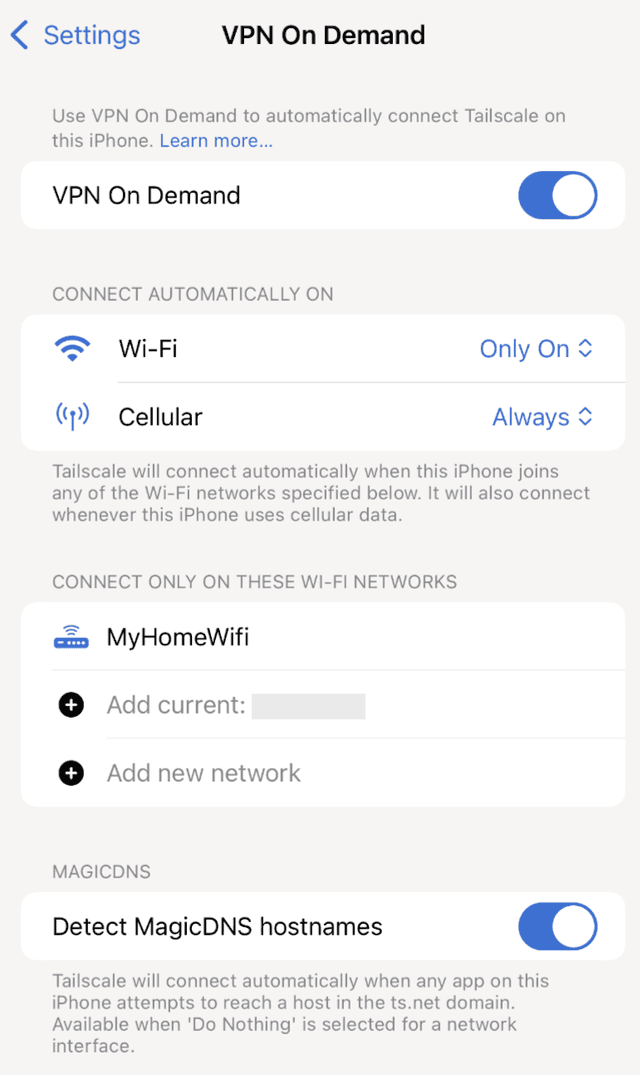
On macOS: Settings > Settings > VPN On Demand. Then, on Wi-Fi, select “Only On” and add the desired SSID (‘MyHomeWiFi’).
Screenshot for iOS, which is equivalent to the macOS dialog:
Connections
Shared tags